Artificial intelligence is no longer just a trend. It has become an essential part of how people work, learn, create, and manage businesses. From writing articles to generating videos and automating repetitive tasks, AI Tools are helping individuals and companies save time while improving productivity.
As we move through 2026, the AI industry continues to evolve rapidly. New features, smarter models, and better integrations are making AI more accessible than ever before. Whether you are a student, content creator, freelancer, marketer, developer, or business owner, using the right AI tools can give you a significant advantage.
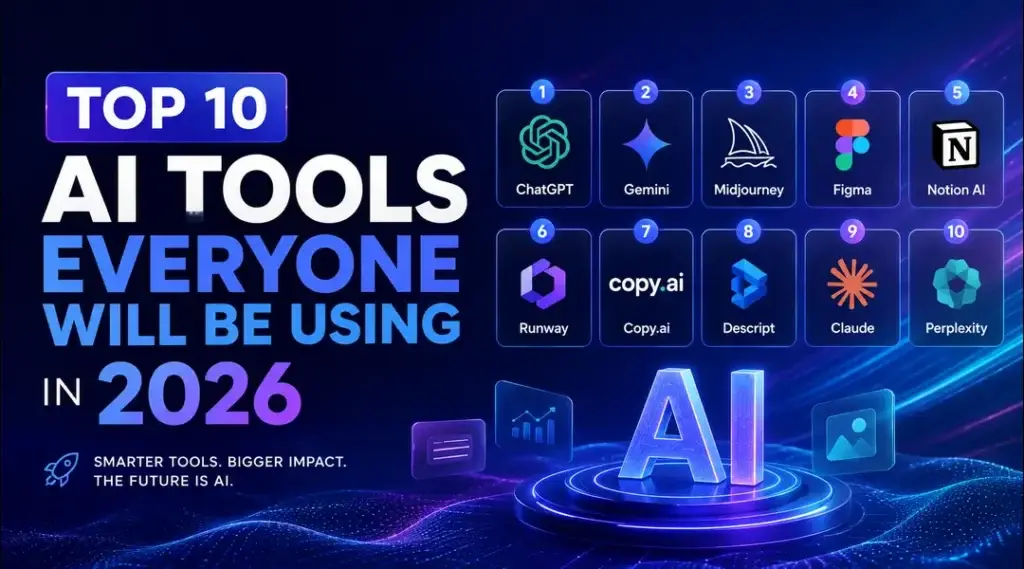
In this guide, we will explore the top 10 AI tools that are expected to dominate in 2026. We will also explain who should use them, their key features, advantages, and why they stand out from the competition.
If you enjoy discovering useful software, you can also explore our Best Free Software collection for more productivity tools. To stay updated with new innovations, don’t forget to check our Latest Tech News section regularly.
Why AI Tools Matter More Than Ever
Artificial intelligence is changing almost every industry. Businesses are using AI to improve customer service, automate workflows, analyze data, and create content. Individuals are relying on AI for learning new skills, writing emails, designing graphics, editing videos, and even coding applications.
Some major benefits of AI include:
Save Valuable Time
AI automates repetitive tasks, allowing users to focus on more important work.
Improve Productivity
Many AI applications complete tasks in minutes that previously required hours.
Better Decision Making
Modern AI analyzes large datasets quickly and provides meaningful insights.
Cost Effective Solutions
Instead of hiring multiple specialists, businesses can use AI software for content creation, customer support, design, and automation.
1. ChatGPT
ChatGPT continues to lead the AI industry with its advanced conversational abilities and productivity features.
Best For
Content writing, brainstorming, coding assistance, customer support, research, learning, and business productivity.
Key Features
Natural conversations
Produces human like responses for a wide range of topics.
Writing assistance
Creates blog posts, emails, reports, marketing content, and social media captions.
Coding support
Helps developers write, debug, and optimize code in multiple programming languages.
Research assistance
Summarizes complex topics into easy to understand explanations.
Why It Stands Out
Its accuracy, continuous improvements, and ability to handle multiple professional tasks make it one of the most trusted AI platforms.
2. Google Gemini
Google Gemini has become one of the strongest AI assistants for productivity and research.
Best For
Students, professionals, researchers, and Google Workspace users.
Key Features
Deep Google integration
Works smoothly with Gmail, Docs, Sheets, Drive, and other Google services.
Strong reasoning abilities
Provides accurate answers for technical and educational questions.
Multimodal support
Understands text, images, and documents.
Why It Stands Out
People already using Google’s ecosystem enjoy seamless AI powered assistance.
3. Claude AI
Claude is widely appreciated for producing thoughtful, detailed, and well structured responses.
Best For
Professional writing, legal documents, business reports, and long form content.
Key Features
Long context window
Processes very large documents without losing context.
Clear writing style
Produces organized and readable content.
Safe responses
Designed to provide balanced and reliable information.
Why It Stands Out
Excellent for professionals who regularly work with large documents.
4. Microsoft Copilot
Microsoft Copilot brings AI directly into workplace productivity.
Best For
Office professionals, businesses, and enterprise users.
Key Features
Office integration
Works with Word, Excel, PowerPoint, Outlook, and Teams.
Data analysis
Creates charts, summaries, and reports quickly.
Email assistance
Drafts professional emails in seconds.
Why It Stands Out
Businesses already using Microsoft products benefit from seamless AI integration.
5. Midjourney
Midjourney remains one of the leading AI image generation platforms.
Best For
Graphic designers, artists, marketers, and content creators.
Key Features
High quality images
Creates realistic and artistic visuals.
Creative flexibility
Supports multiple art styles and design concepts.
Fast generation
Produces professional looking graphics within minutes.
Why It Stands Out
Ideal for creating eye catching visuals for websites, advertising, and branding.
6. Runway
Runway has transformed video creation through artificial intelligence.
Best For
Video editors, YouTubers, marketers, and filmmakers.
Key Features
AI video editing
Removes backgrounds and edits videos quickly.
Text to video
Creates short videos from written prompts.
Motion effects
Adds cinematic animations with minimal effort.
Why It Stands Out
Makes professional video editing accessible without advanced editing skills.
7. Perplexity AI
Perplexity AI combines search with intelligent answers.
Best For
Research, fact checking, and educational purposes.
Key Features
Fast research
Provides summarized information with references.
Smart search
Finds relevant information more efficiently than traditional search.
Easy learning
Explains complicated concepts clearly.
Why It Stands Out
An excellent research assistant for students and professionals.
8. Notion AI
Notion AI helps organize projects while improving productivity.
Best For
Teams, freelancers, students, and business owners.
Key Features
Document writing
Generates meeting notes, reports, and documentation.
Task management
Creates project plans and workflows.
Content summarization
Condenses lengthy documents into key points.
Why It Stands Out
Combines productivity management with powerful AI capabilities.
9. GitHub Copilot
GitHub Copilot continues to improve software development.
Best For
Developers, software engineers, and programming students.
Key Features
Code suggestions
Writes code based on context.
Bug fixing
Helps identify coding errors.
Multiple language support
Supports Python, JavaScript, Java, C++, PHP, and many more.
Why It Stands Out
Speeds up software development while improving code quality.
10. Canva AI
Canva AI has become an all in one design platform.
Best For
Small businesses, marketers, bloggers, educators, and social media creators.
Key Features
AI design generation
Creates presentations, banners, and social graphics.
Magic writing
Generates content directly inside Canva.
Image editing
Removes backgrounds and improves photos.
Why It Stands Out
Perfect for users without professional graphic design experience.
How to Choose the Right AI Tool
Not every AI platform serves the same purpose. Before choosing one, consider these factors.
Your primary goal
Decide whether you need help with writing, coding, designing, research, marketing, or business automation.
Ease of use
Select tools that offer intuitive interfaces and helpful documentation.
Pricing
Many platforms provide free plans while advanced features require paid subscriptions.
Integrations
Choose AI solutions that work with your existing software ecosystem.
Privacy
Review how the platform handles your data before uploading sensitive information.
Future Trends of AI Tools in 2026
Artificial intelligence continues to improve at an incredible pace. Some important trends expected throughout 2026 include:
Smarter AI assistants
AI will become better at understanding complex instructions and completing multi step tasks.
More automation
Businesses will automate customer support, reporting, scheduling, and workflow management.
Better personalization
AI systems will provide more customized recommendations based on user preferences.
Improved collaboration
Teams will increasingly work alongside AI instead of treating it as a separate tool.
AI powered creativity
Image generation, video production, music creation, and content writing will continue to become faster and more accessible.
Final Thoughts
Artificial intelligence is becoming an essential part of modern life, and choosing the right AI Tools can significantly improve productivity, creativity, and efficiency. Whether you need help writing content, creating videos, designing graphics, conducting research, or developing software, there is an AI solution tailored to your needs.
The tools listed above represent some of the most practical and widely adopted options for 2026. As technology continues to evolve, staying informed and experimenting with new AI platforms will help you remain competitive in both your personal and professional life.
If you are interested in discovering more useful applications, explore our Best Free Software category. You can also follow our Latest Tech News section to stay informed about the newest AI innovations, software updates, and emerging technology trends.
Frequently Asked Questions
Which AI tool is best for beginners?
ChatGPT and Google Gemini are excellent starting points because they are simple to use and support a wide range of everyday tasks.
Which AI tool is best for content creators?
ChatGPT, Canva AI, Midjourney, and Runway together provide powerful solutions for writing, graphic design, and video production.
Which AI tool is best for developers?
GitHub Copilot and ChatGPT are among the best options for coding, debugging, and learning new programming concepts.
Are AI tools free?
Most popular AI platforms offer free versions with limited features. Premium subscriptions unlock more advanced capabilities and higher usage limits.
Will AI replace human jobs?
AI is more likely to assist people rather than replace them entirely. Professionals who learn to work effectively with AI will have a competitive advantage.